
Check the status of your order View the contents of your shopping cart Proceed to checkout process
Since the 1980s, gamers have been constantly riding the wave of innovation in gaming and PC technology. PC games have traveled a long and progressive journey since the days of Pong and Space Invaders and each year, new advances in game technology place even greater performance demands on PCs.

There are several major components that can enhance the performance of your gaming system:


The Central Processing Unit (CPU) is essentially the brain of your PC. The performance of the CPU plays an integral role in the performance of your games. The CPU is like a calculator, processing information in the form of mathematical calculations which tells the CPU to either write to or retrieve from memory. The faster the information is calculated, stored, or retrieved from memory, the faster processes and applications can run, affecting the overall performance of the PC.

When searching for the right CPU for your gaming system, don’t rely too heavily on clock speed, the time it takes to complete a clock cycle, since it alone does not directly impact performance. Cache also has little effect on overall processor performance. Instead, pay attention to performance reviews and instructions per clock (IPC), the number of instructions that are processed during each clock cycle.

A smart processor choice for gaming would be the Intel Core 2 Duo or the AMD 64 Athlon X2 processor. For the ultimate gaming experience, choose Intel’s Core 2 Extreme or the AMD 64 Athlon FX, taking advantage of the latest dual core technology for ultra-smooth gameplay. While Intel processors generally provide better performance overall, AMD technology offers more value to mainstream buyers.

Intel’s cutting edge quad core processor, the Core 2 Extreme QX6800, is the best processor for multithread software use, but not the best solution for today’s games. As games become increasingly threaded, we will begin to see the value of quad core processors in gaming.


The video card contains a Graphics Processing Unit (GPU), and is the most important part of any gaming system since it handles the processes to render 3D images onto your monitor. The better the GPU, the more visible the performance gains will be during extreme gaming.

When searching for the right video card, pay attention to frame rates and resolutions (the higher the better), as well as anti-aliasing (AA), special technology in the GPU that smoothes the edges of 3-D images. Full-screen-anti-aliasing (FSAA), applies this technology to the whole screen.

The most advanced single video card available is NVIDIA’s revolutionary GeForce 8800. The first card generation with DirectX10, the GeForce 8000 series are also the fastest card for DirectX 9 games. The 8800 introduces geometry shaders and supports 128-bit and 64-bit floating point HDR and 16x full-screen anti-aliasing.

Two of the newest innovations in graphics technology, NVIDIA’s Scalable Link Interface (SLI) and ATI’s Crossfire technology, combine multiple video cards or graphics processing cores to enable peak graphical performance under the highest resolutions, especially HD.


There are several types of memory: the hard drive (permanent storage), Read Only Memory (ROM), and Random Access Memory (RAM). “Memory” by itself is synonymous with RAM, which stores temporary information. The CPU can grab information from RAM relatively quickly, and allows for more processes to run simultaneously.

The Column Address Strobe (CAS) level refers to the memory’s latency, the time it takes for memory to respond to instructions from the CPU. Lower CAS levels are better for your PC’s performance (CL3 is better than CL4).

Velocity Micro systems use Double Data Rate 2 (DDR2) RAM, processing twice as much information as Single Data Rate (SDR) RAM. 1024 MB (1 GB) or 2046 MB (2 GB) should satisfy most gamers, but enthusiast gamers who want viable memory for years to come should choose 4096 MB (4 GB), especially with the arrival of Vista.


The hard drive is the permanent storage space for your PC. Larger hard drives can store more information, which is measured in gigabytes (GB). Today’s games can be resource hogs, so a large hard drive would be a good investment for your gaming system.

When choosing your hard drive, pay attention to the size, RPM, and amount of cache. RPM, or Revolutions Per Minute, is a measure of the spindle speed of the hard drive. Higher RPM allows for faster encoding and retrieval of information. Similar to the CPU cache, the hard drive cache stores frequently-used information. The more cache a hard drive has, the faster the CPU can retrieve information from the hard drive.

For increased hard drive performance, choose Redundant Array of Independent Disks (RAID) technology. RAID allows two hard drives to be “striped” together into a single C:\ drive. RAID 0 Stripe is the most common configuration, where two hard drives are working to process the same data. RAID 1 or mirroring involves duplicating data on two hard drives, providing better read performance but less data capacity. Also look for Serial Advanced Technology Attachment (SATA), a high speed interface for connecting hard drives to the motherboard. Two SATA drives can be used in the RAID configuration.

Smaller hard drives do not necessarily mean compromised performance, especially with high RPM. A 150 GB 10,000 RPM hard drive offers incredible performance. A smart choice for a gaming system would be either 7200 or 10,000 RPM, depending on your level of gaming. A 250 GB hard drive with 7200 RPM is a good start for most users, but die hard enthusiasts may want to opt for 2 150 GB, 10,000 RPM hard drives in a RAID 0 configuration.


Our best value is the 500 Watt Velocity Micro Power Supply, for a maximum 500W of power with two blue lighted fans to keep things cool. For more serious gaming, we offer an 850W PSU, which is SLI-ready. This power supply is even powerful enough for quad graphics applications.

The ultimate power supply for hours upon hours of hardcore enthusiast gaming is the 1200W. The 1200W is amazingly quiet with ultra high efficiency, making it the premier choice for die hard gamers.


Performance PC parts, like car engines, generate heat and need to be kept cool for optimum performance. PC components are delicate and extremely sensitive to heat, which is why it is extremely important to have enough cool air flow so that your gaming doesn’t crash and burn, literally.

The CPU is the most important part to keep cool since it generates the most heat. There are several types of CPU cooling devices to choose from. Velocity Micro offers several air cooling systems and a liquid cooling system. For everyday gaming, you can either choose from our Arctic Cooling, Intel Certified, or AMD Certified Heatsink fans, lowering temperatures and noise levels. Heat sinks attached to the processors draw heat from the processor into the open space of the chassis, which is then dispensed through a fan (why it is important for optimal space inside the case).

For more powerful processors, extreme gamers should choose the Arctic Cooling Freezer 7 heatsink or our Velocity Micro LiquiCool 3 Advanced Thermal Electric cooler. Instead of using a radiator, like heatsink fans, the LiquiCool 3 uses a “Chiller” which chills the liquid coolant, increasing thermal capacity and faster heat absorption from the CPU.

The latest GPUs come attached with powerful heatsinks, but the older GPUs could use some extra cooling power when processing the advanced game technology of today and the future. The best choice to ensure that your graphics card keep cool during heated gameplay is the VideoCool system. This card plugs into any available PCI slot and features two fans with adjustable speeds and built in UV-LED lights, lighting up your case as it cools.


Optical drives use lasers to read and write data on discs. Types of optical drives include CD-ROM, CD-R/W, DVD-ROM, and DVD+/-R/W. ROM stands for Read Only Memory and will only read the CD or DVD. Drives that are R/W are able to read from and write to the disc. The (#)x refers to the speed at which the optical drive can read from or write to a disk. For example, 18x CD-R/W can write to a disk at a speed of 18x the actual playback speed.


The audio solution that you choose for your powerful gaming rig has a substantial effect on your gaming experience. Velocity Micro offers several different audio processing options. If you are looking for value in your audio selection, you should choose our On-Board Integrated Realtek audio with 7.1 channel surround sound for immersive gaming. Audio solutions that are built into the motherboard are sufficient for everyday tasks and mild gaming, but enthusiasts and performance junkies looking for the ultimate in immersive audio should choose from our Creative Labs SoundBlaster X-Fi family of audio cards.

The SoundBlaster X-Fi ExtremeMusic sound card boosts performance more than 15% over motherboard audio solutions, providing incredibly dynamic and realistic 3D sound. The SoundBlaster X-Fi Platinum delivers exceptional audio quality, with an internal drive bay and convenient front-facing input/output connectivity for headphone listening and PC gaming. X-Fi Elite Pro is the ultimate audio solution, featuring 64MB of on-board X-RAM, audio memory dedicated to higher gaming audio quality and performance.


Besides using the latest and greatest retail-grade parts in our performance gaming systems, Velocity Micro performs additional tweaks, tuning, optimization, and overclocking to ensure that your customized hot-rod gaming system peaks at the highest performance level possible with rock solid stability. We make adjustments and tweaks to the motherboard BIOS and Windows settings and install software for monitoring and management. We optimize settings for RAM management, video performance, and disk performance, tweaked and tuned for the best performance from your individual system.


For the ultimate in performance and hardcore gaming, create your gaming rig with Velocity Micro!

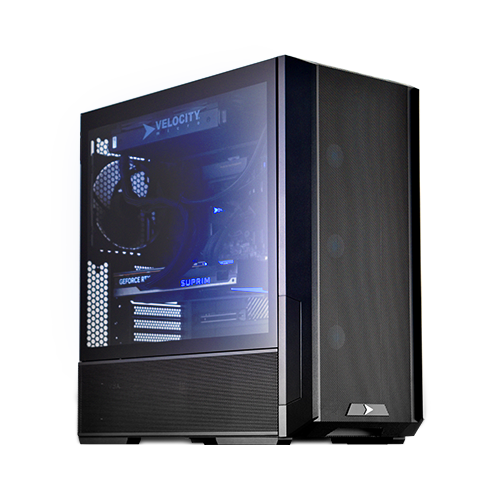
Ultimate Performance for Gaming Enthusiasts:

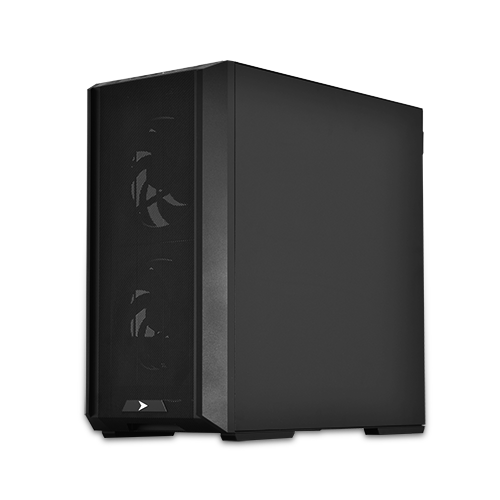
Superior Performance for the Mainstream:

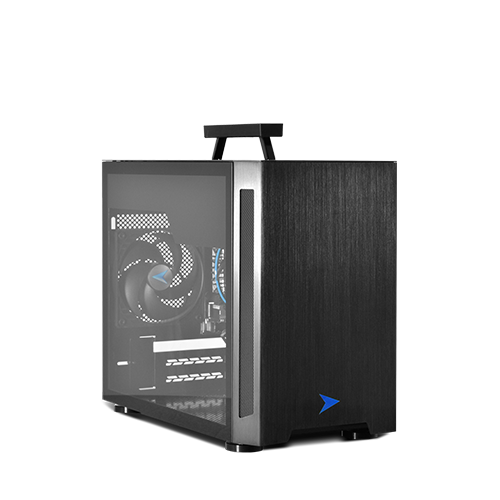
Extreme Performance and Value:

Return to the Velocity Micro homepage
Read glowing reviews of Velocity Micro systems
Read about Velocity Micro's financing options
Read more about Velocity Micro
Visit the Velocity Micro Support Hub for help with your system
Have a comment, question, or problem? Click here
Register you Velocity Micro system
1-800-303-7866 (Hours: 7-11 M-F, 10-6 Sat Eastern)
Consumer Systems | Business Systems | Site Map | Contact Us | Privacy | Terms and Conditions | Jobs | Newsletter
©1998-2008 Velocity Micro, Inc. All rights reserved